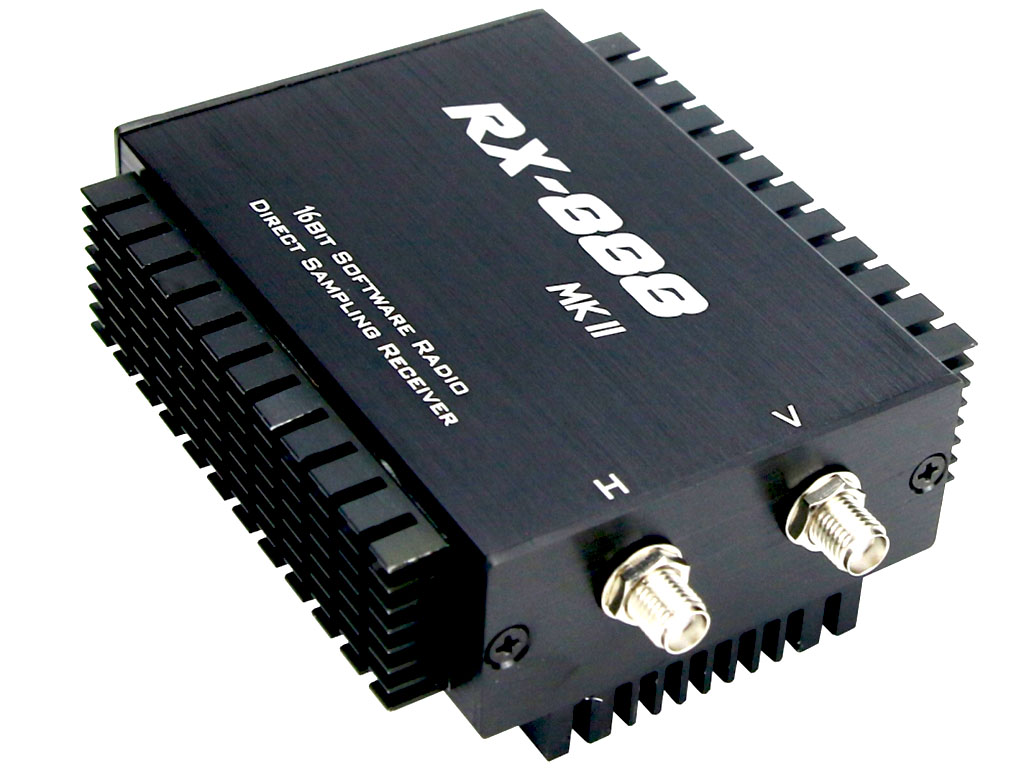
Andy, K1RA, messaged me in late December of 2025 about a new software package he’d been playing with called UberSDR, and sent me a link to his instance. I poked at it for about five minutes and had already added an RX-888mk2 to my Amazon cart.
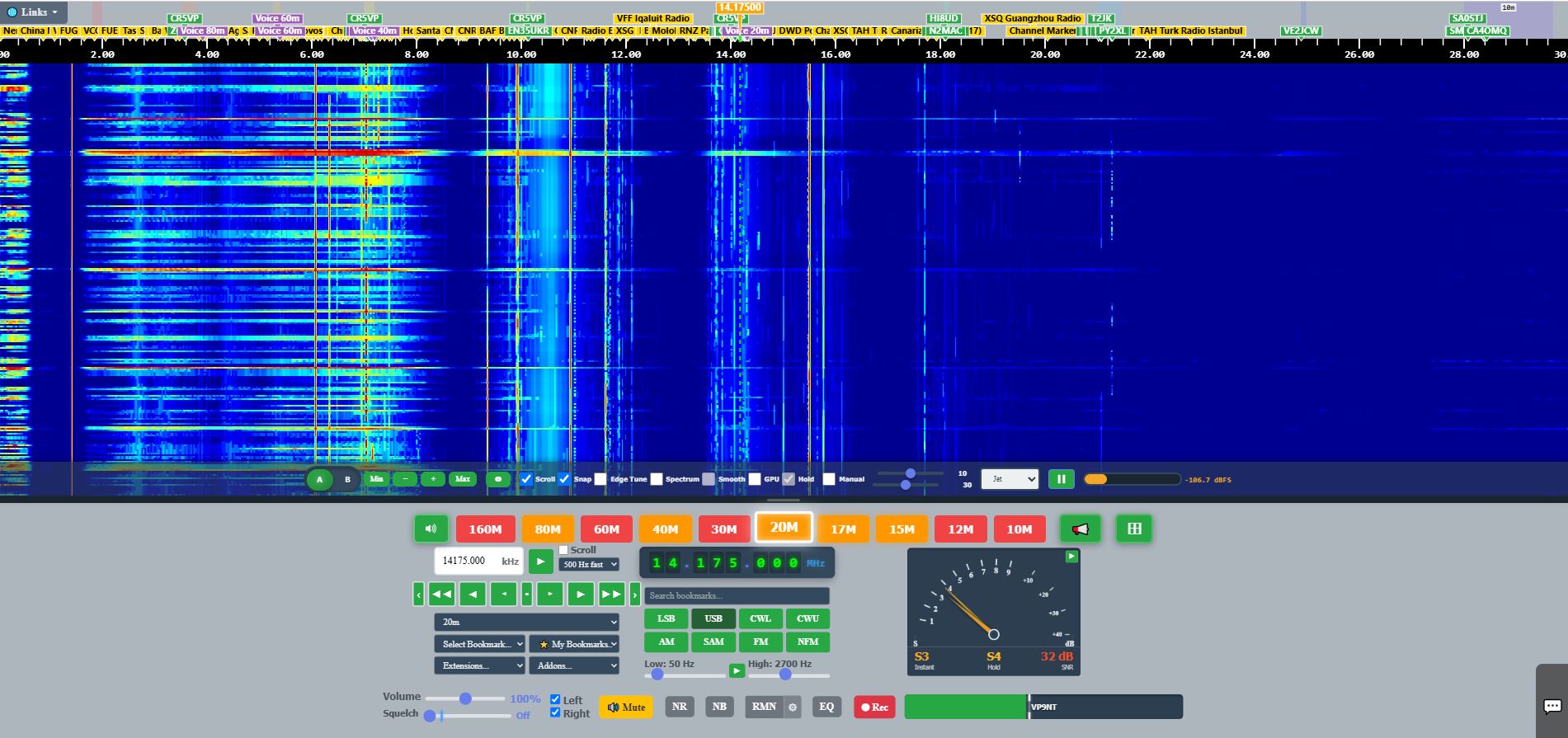
Those of us who enjoy just tuning around to see what we can see and hear are pretty familiar with WebSDRs by now. Uber is different. It looks a lot like a KiwiSDR at first glance, but instead of all the magic happening on the device, it happens on your host. That means you can throw a lot more compute at it and get a lot more out of it. Real time streaming of the entire HF spectrum, skimming of the WSJT modes, and on top of that almost any other mode or utility you can think of.
The part that kept me interested past the first week wasn’t the receiver. It was what the thing does when you leave it running for months.
The architecture
Underneath, UberSDR is a whizz-bang graphical front end for ka9q-radio. The important consequence is that it skims the entire spectrum rather than channelizing it. Instead of four slices on a Kiwi, or a Flex, or ten 192 kHz slices on a Hermes Lite 2, you just point a decoder or demodulator at whatever frequency you want, in whatever mode you want. Nothing is competing for a receiver slot, because every decoder is reading the same wideband stream.
That single design choice is what makes everything further down this post possible.
I had my first RX-888 by the end of the first week in January. I grabbed a micro PC with a fairly capable 10th gen i7, ran the build script on a clean Debian install, and hooked it to my main antenna, a DX Commander Signature 9, which is basically a fan quarter wave vertical. A few months later in late spring, before everything had grown up, I added a power divider and a 64 foot loop on the ground to help out the LF receive. I live about 1 mile from an AM station, so I also run an AM broadcast band reject filter.
Hardware-wise the current state of things is straightforward: the RX-888 MkII is the only supported front end. No extra cooling required. If you care about frequency stability, discipline the oscillator with a GPSDO on the external clock input.
Propagation, Measured
This is the part I actually care about.
The most mindblowing thing UberSDR does, that either nothing else does or nothing else does well, is long term propagation reporting and real time propagation prediction based not on models, but on reality, through the actual antenna you have deployed. Not what VOACAP thinks the path should do. What your station is hearing, right now, and what it has heard every hour for the last several months. Not only does it do this, it does this while looking great.
Rather than screenshots, here are direct links into my instance. You can swap my callsign for any other call listed on the instances map page and see the same pages for their station.
WSPR phone prediction takes received WSPR signal strengths and predicts whether you could actually close a link on sideband. That translation step is the interesting bit. Plenty of tools will tell you a path is open to something. This one tells you whether it’s open to you, for the mode you actually operate.
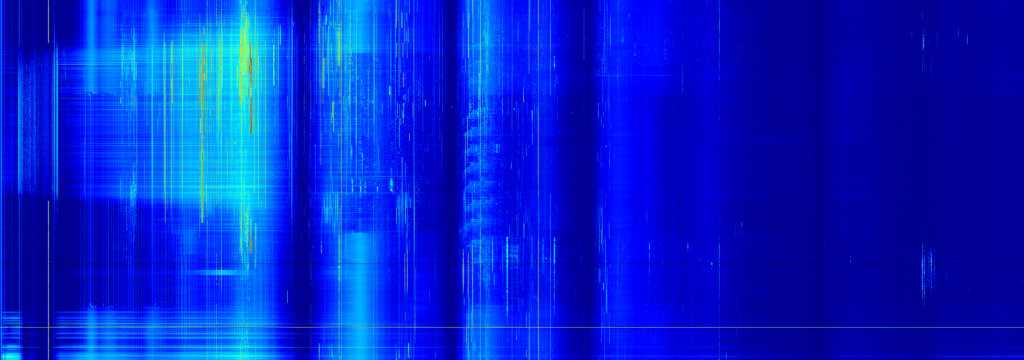
Spectrogram is a rolling spectrogram, and you can pull up whatever previous days you want provided the instance is saving them. Watching how the bands shift across an entire day is genuinely fascinating, and it will get better still once Nathan enables viewing the full 64 MHz of bandwidth.
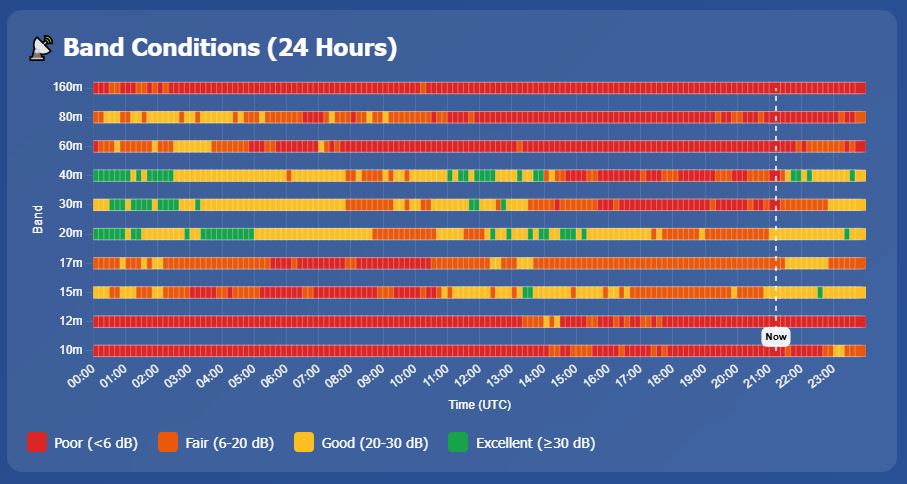
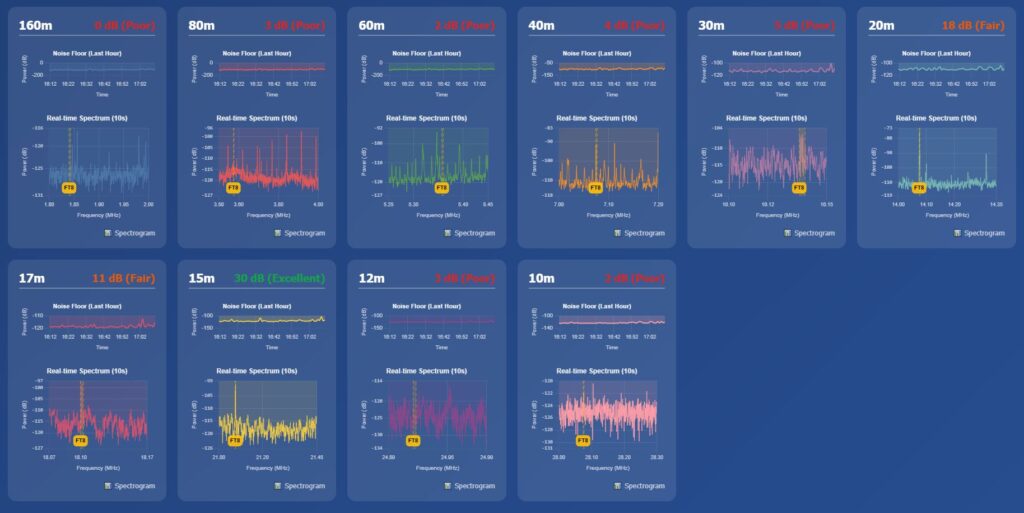
Noisefloor monitors the noise floor per amateur band, and also carries FT8 SNR and a rolling 24 hour view of band conditions.
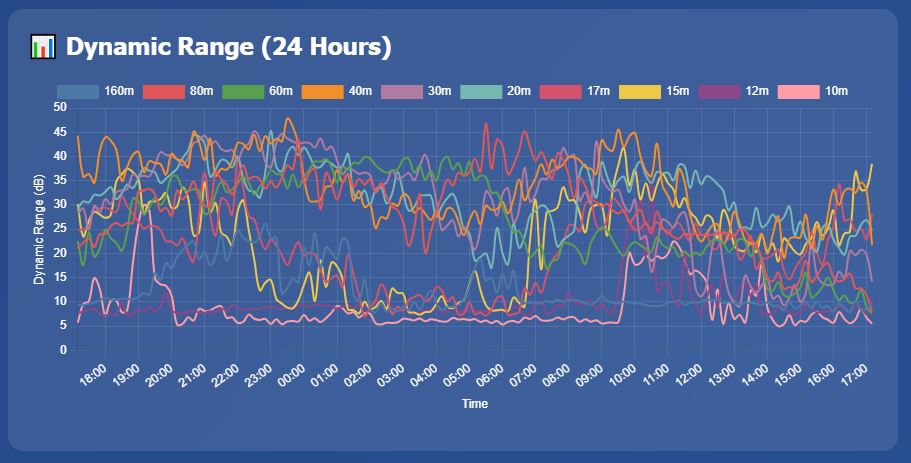
Noisefloor aggregate is the aggregate analysis page, where you can see FT8 SNRs across a rolling 24 hour passage.
Between the daily saved spectrograms, the noise floor history, and the aggregate analysis, you start being able to answer questions that were previously guesswork. When does 15 meters actually open toward a given region from my location, statistically, rather than per the chart? Is my noise floor degrading over months, and if so on which bands? Is some wideband noise always there at specific times and days of the week?
There’s also a multi-site angle I haven’t fully explored. Multi-Monitor lets you do real time diversity receive across multiple instances, with Smart Listen switching audio to whichever one has the strongest SNR. That’s convenient for listening, but the more interesting use is analytical: comparative SNR between geographically separated receivers is a path characterization tool. One thing I’ve been kicking around is running two instances side by side with identical settings on identical PC hardware, but with different antennas as something like a receive performance shootout.
Those that know me know that I’m not very active on the air. Almost exclusively SSB, some summits, some parks, some contests and that I find the FT modes pretty boring. But as a real time propagation reporting tool this thing works great, and you don’t have to enjoy FT8 to benefit from a station that’s listening to it around the clock.
Everything else it does
There’s a distinction worth understanding here between extensions and addons. Extensions live in a dropdown underneath the receiver settings in the main user interface. Addons show up there too, but they have their own pages and are actually separate Docker containers, added through the addon manager in the CLI. Their settings, like adding channels to the WEFAX addon, get changed by editing their docker compose YAML files, which is easy enough to do.
The key thing is that none of these are bolt-ons fighting each other for receiver time. They’re parallel consumers of the same wideband stream. That’s the whole argument for the architecture in one sentence.
Here’s what I’m running on my instance:
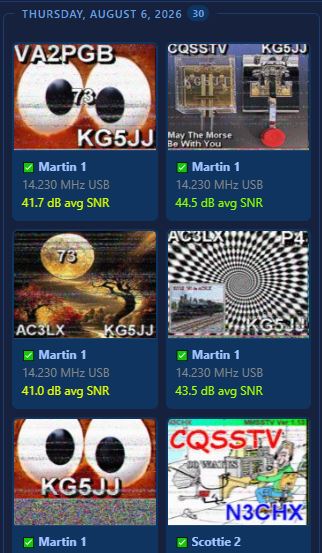
SSTV runs 24/7 and saves decoded images to the host. Most SSTV activity is on 14.230 USB, but I have it decoding the other SSTV frequencies too. There just aren’t many hits, even on 40.
HFDL also runs 24/7, and the web interface is a map view that will look immediately familiar to anyone who’s played with dump1090 or Virtual Radar. It’s fairly full featured, with a real time feed, propagation reporting, and a full suite of analysis on the HFDL bands. The propagation reporting is more interesting than it sounds, because aircraft flying transoceanic routes sit in grids you’d otherwise never hear from on HF.
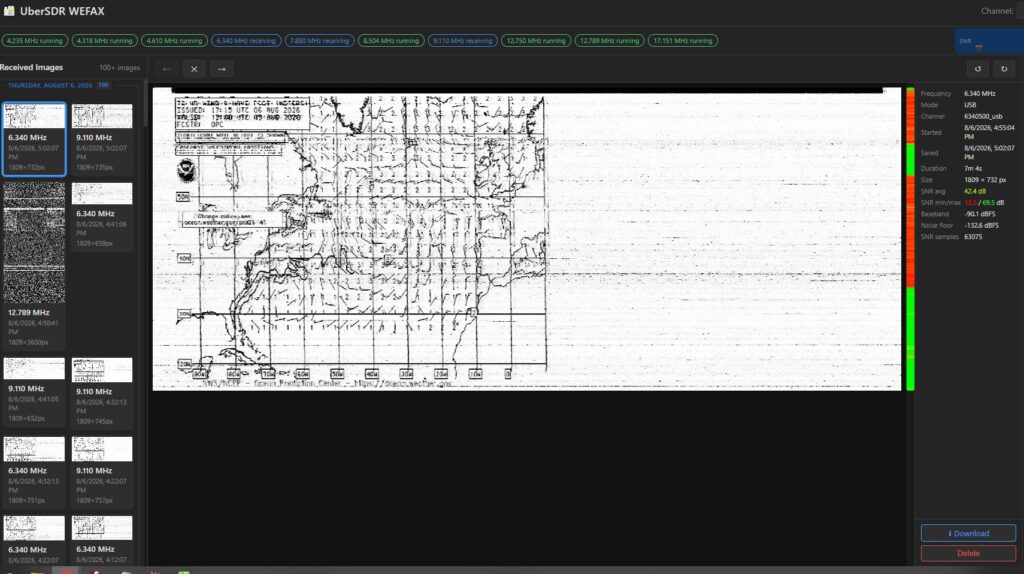
WEFAX works like SSTV, with decoded images saved on the host and as many channels as you care to configure in the compose file. By default it only ships with EU stations, so of course I had to add East Coast and Gulf stations.
NAVTEX is similar to WEFAX but text via FSK. Messages are stored and available on the addon’s history page.
Doppler is installed but I haven’t configured it or done anything with it yet.
Lightning records strikes. I have it installed, but I usually disconnect antennas when a storm is near, so I’m sitting at 22 detected strikes. It doesn’t seem particularly sensitive to non-local lightning.
Packet is set up, but the out of the box settings are EU centric again. I haven’t played with HF packet in the US, so I haven’t worked out the configuration. Messages are stored on the server and I do see some EU activity.
Loran-C gives you a real time view. Another one I’ve installed and not explored.
My major omission here is the cw-skimmer addon which interfaces directly into your own local dxcluster, at this time I just don’t have the computer horsepower to make that work, but it’s on the short list of things to add.
The limitations
The most obvious one is the front end. The RX-888 is currently the only supported hardware, which is a constraint if you already have a Kiwi or a Red Pitaya on hand.
As of August 2026, Nathan hasn’t enabled waterfall and UI coverage up to the full Nyquist limit of the RX-888 running at 129.6 MSPS. Other users on the groups.io page have reported the streaming is already there in the backend, so if you want to skim 6 meter FT8 you can do that today. You just can’t look above 30 MHz on the waterfall yet.
The other big one is compute. My 10th gen i7 is decent on paper, but it’s a micro PC with a T series part, an i7-10700T, and it thermal throttles itself and misses decodes with everything running. A full desktop CPU with real cooling and more cores would let you add more decoders and run them deeper. Budget accordingly if you plan to run the whole addon suite.
And if you operate much from home, plan on some kind of protection device or switching arrangement so you don’t blow up the front end of the RX-888. There are plenty of inexpensive options and you will eventually need one.
The receiver is the cheap part
An RX-888 and a used micro PC is not a lot of money, and if that were the whole story this would be a much shorter post. The thing that turns out to be valuable is the record. Every day the instance runs, the dataset gets more useful, and there’s no way to go back and retroactively measure a band opening you weren’t listening to. An instance stood up this month is worth considerably more next winter than one stood up next winter.
That’s also why the instances map matters more than any single station’s pages. One receiver characterizes one location. A dozen receivers in a dozen grids start characterizing paths. Swap my callsign out of any of those links above for another call on the map and you’re looking at the same measurements from somewhere else, which is the beginning of something genuinely useful.
My instance is public and it stays up. Start at ubersdr.org, find an instance near you on the map, and spend some time in the noise floor and spectrogram pages before you decide whether this is a receiver or an instrument.
Then go put one on the air, and let it run.